


When launching or scaling a commercial web platform, enterprise decision-makers often face a critical architectural choice: rely on visual off-the-shelf page builders (such as drag-and-drop CMS plugins) or invest in clean, custom-engineered web code.
While visual builders promise rapid initial setup, they silently introduce massive structural debt. Heavy DOM nesting, redundant CSS libraries, render-blocking JavaScript, and persistent security vulnerabilities create technical overhead that throttles organic search rankings and compresses conversion rates over time.
"Off-the-shelf page builders optimize for fast assembly; custom-engineered code optimizes for lightning load speed, security, and scalable enterprise conversion."
Page Builders vs. Custom Web Engineering Benchmark
The technical evaluation below compares key operational vectors between visual page builders and custom HTML5/CSS3/JS architecture:
| Performance Vector | Off-the-Shelf Page Builders | Custom Web Code (Global VA's) |
|---|---|---|
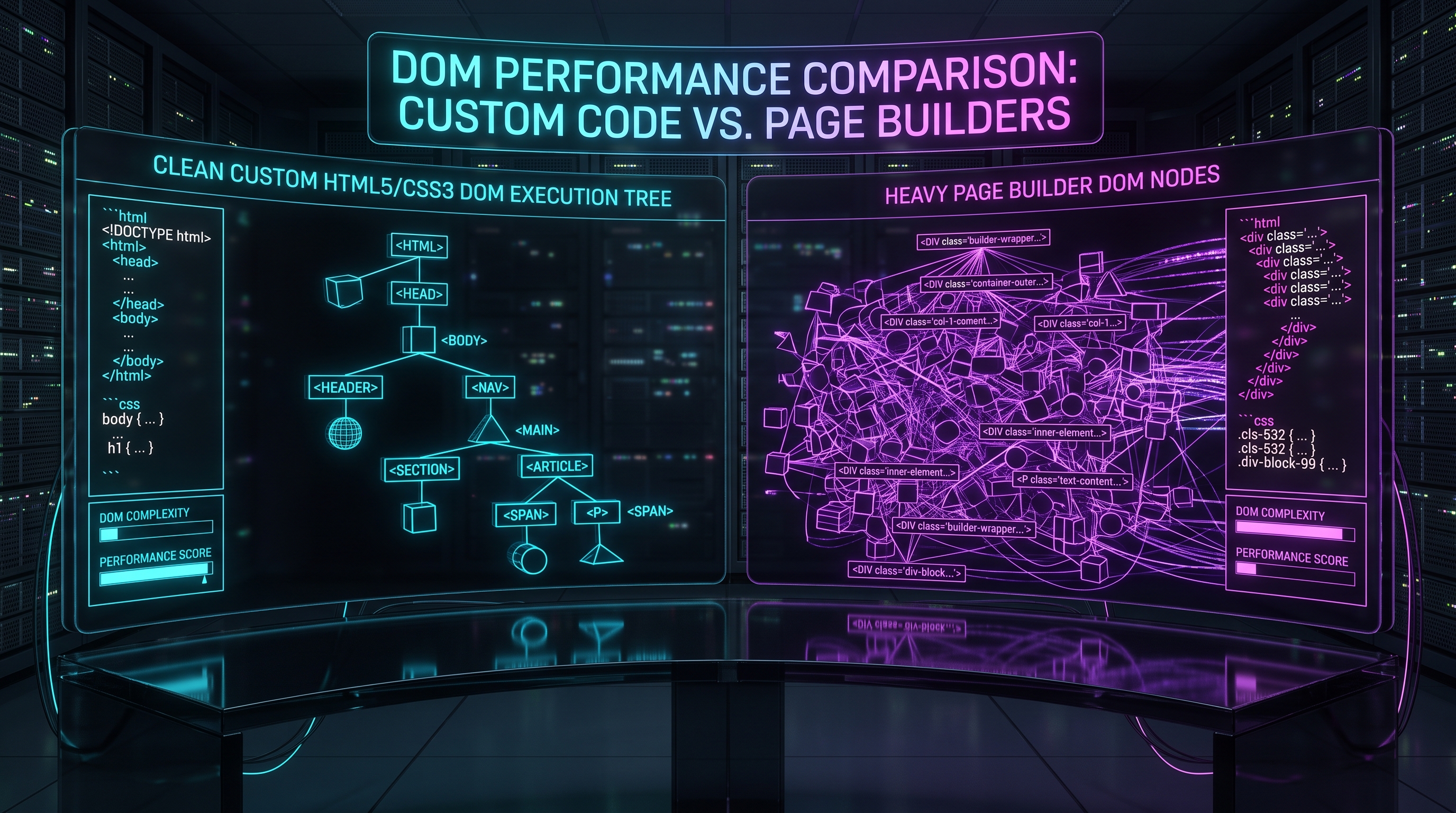
| DOM Tree Depth | Deeply nested `<div>` wrappers (DOM depth > 32) | Clean, semantic HTML5 structure (DOM depth < 8) |
| Asset Size & Requests | 3MB+ bundle payload, 80+ HTTP requests | Sub-300KB payload, < 15 optimized HTTP requests |
| Core Web Vitals | Fails INP & LCP thresholds due to script blocking | 100/100 PageSpeed scores with sub-100ms response |
| Security Profile | High vulnerability exposure via third-party plugins | Hardened static code footprint with zero plugin exploits |
Pillar 1: DOM Complexity & Render-Blocking Script Overhead
Visual page builders must cater to every possible layout permutation. To achieve this flexibility, they inject hundreds of unused CSS rules and inline JavaScript scripts on every single page render. This bloat forces the client's browser engine to spend valuable CPU cycles parsing useless code before displaying actual content.
Custom-engineered code delivers only the exact styles and scripts required for that specific page, keeping the browser's main thread free and ensuring instant page rendering.
Pillar 2: Long-Term Platform Security & Maintenance Stability
Off-the-shelf platforms depend on an ecosystem of third-party plugins to provide basic functionality like popups, sliders, or custom forms. Every additional plugin represents a potential backdoor security vector and a future compatibility bottleneck during core CMS updates.
Custom web architecture eliminates third-party plugin dependencies entirely, providing enterprise-grade security and long-term codebase stability.
Pillar 3: Unconstrained Design & UX Conversion Control
Visual builders force brand design systems into rigid, pre-defined grid frameworks. Custom frontend engineering allows complete control over micro-interactions, custom UI animations, and bespoke checkout funnels tailored precisely to your target audience's user journey.
4-Step Blueprint to Transition to Custom Web Engineering
- Structural Code Audit: Identify DOM depth issues and eliminate unused CSS/JS assets from existing templates.
- Semantic HTML5 Reconstruction: Rebuild visual layouts using clean, semantic tags (`<header>`, `<article>`, `<section>`).
- Asset Compression & Delivery: Implement Next-Gen image formats (WebP/AVIF) and asynchronous script loading.
- Hardened Security Setup: Deploy server-side Content Security Policies (CSP) and remove third-party plugin footprints.
Conclusion: Engineered Code as a Competitive Advantage
Your website is your primary digital storefront. Moving from bloated page builders to custom-engineered web code gives your enterprise brand the speed, security, and conversion efficiency needed to dominate your market.